Leave the inbox to Bob.
Leave the inbox sorting and reply drafts to Bob. Connect Gmail or Outlook so he can follow up on messages waiting for an answer.
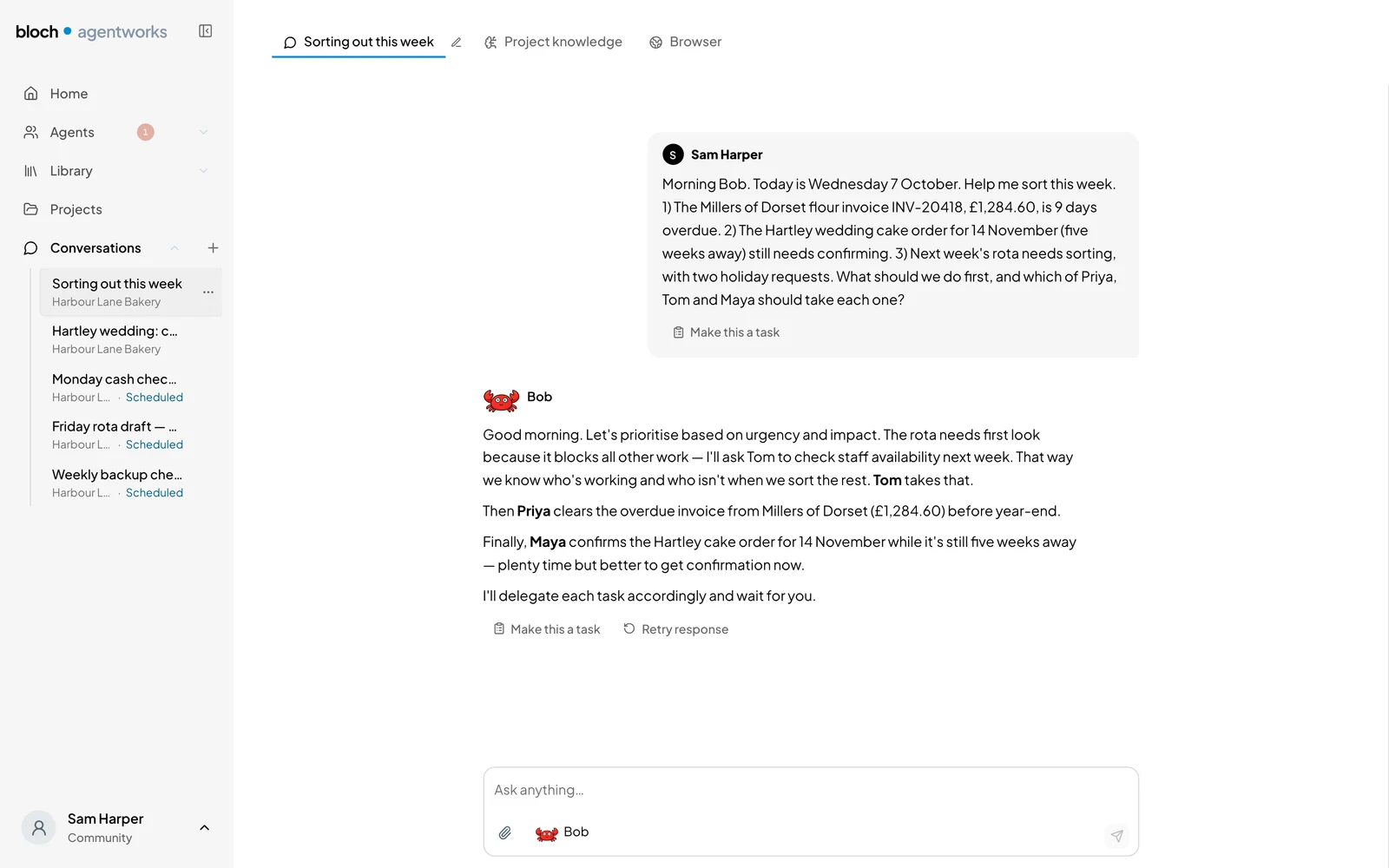
Create AI agents that take tasks off your hands. Bob drafts your work and keeps your week in order. Free on Mac and Windows.

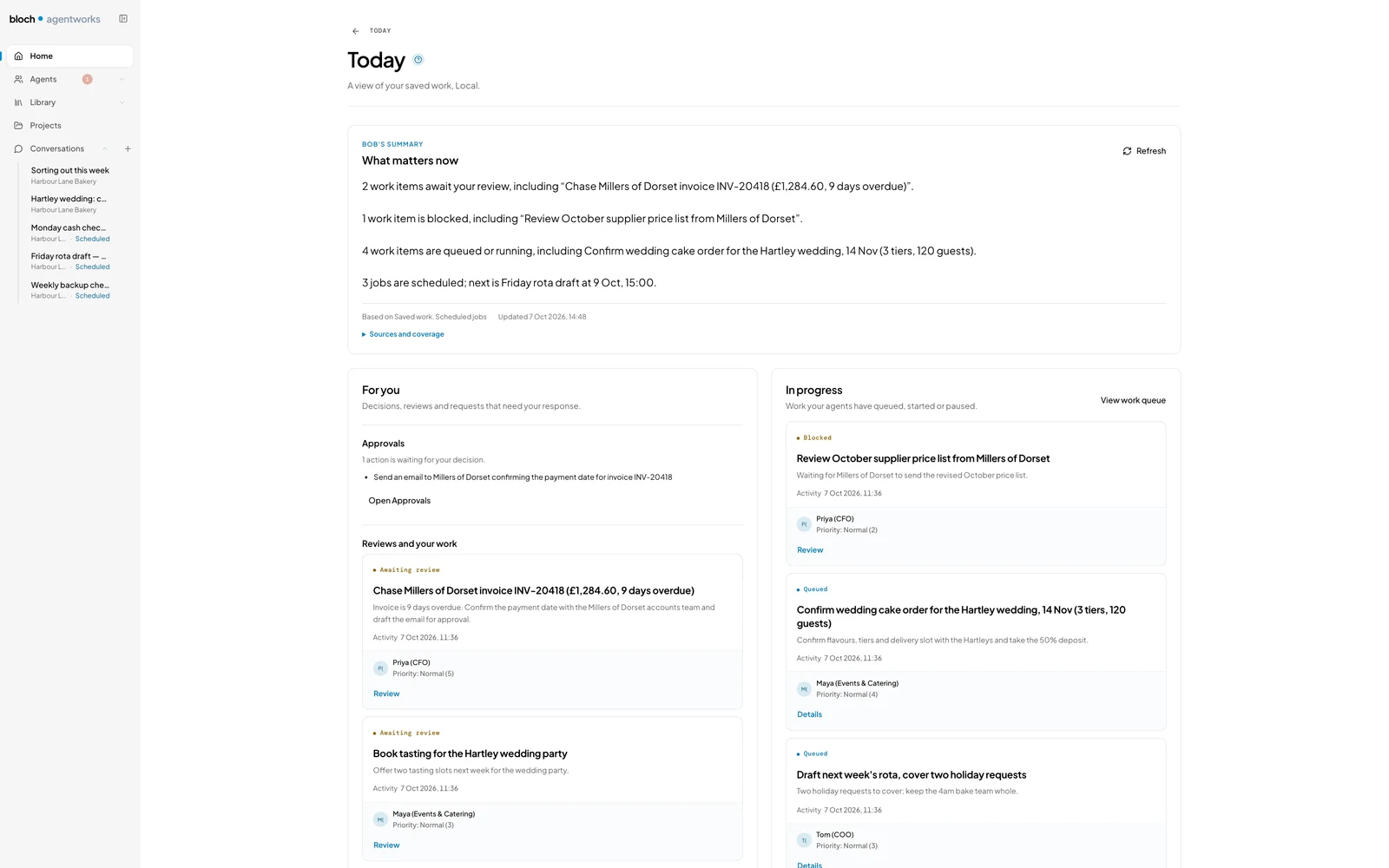
What's shipping today
Leave the inbox sorting and reply drafts to Bob. Connect Gmail or Outlook so he can follow up on messages waiting for an answer.
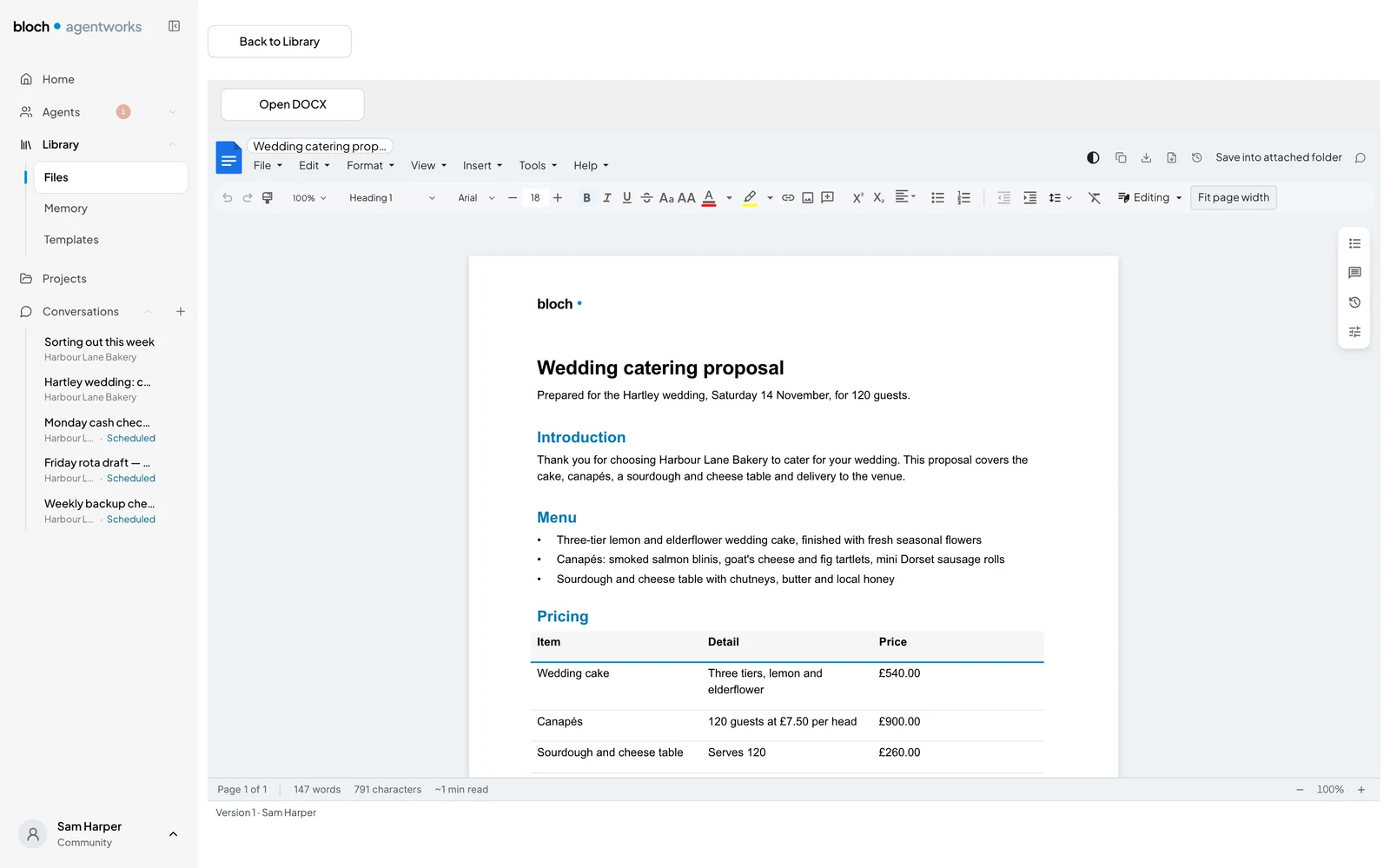
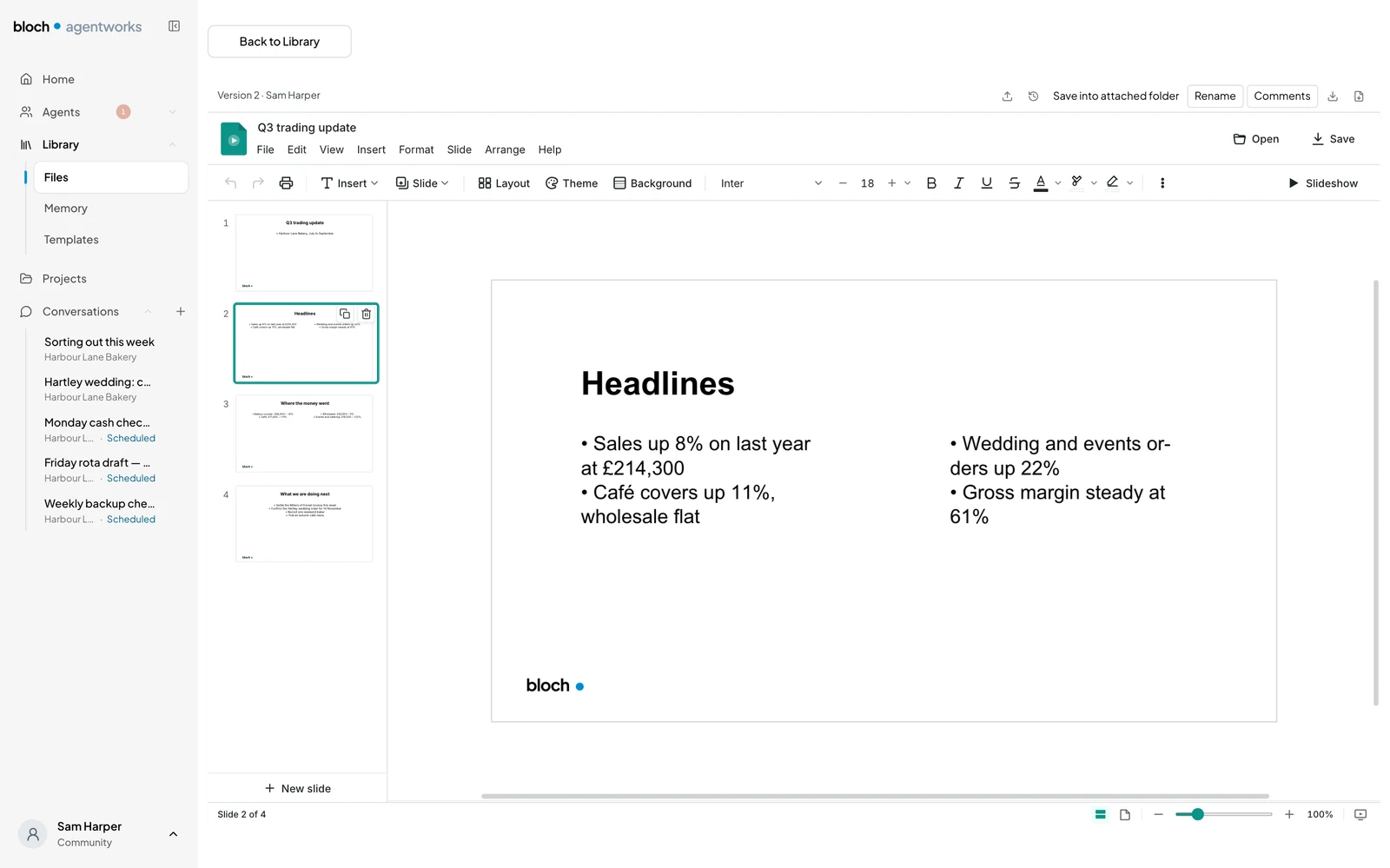
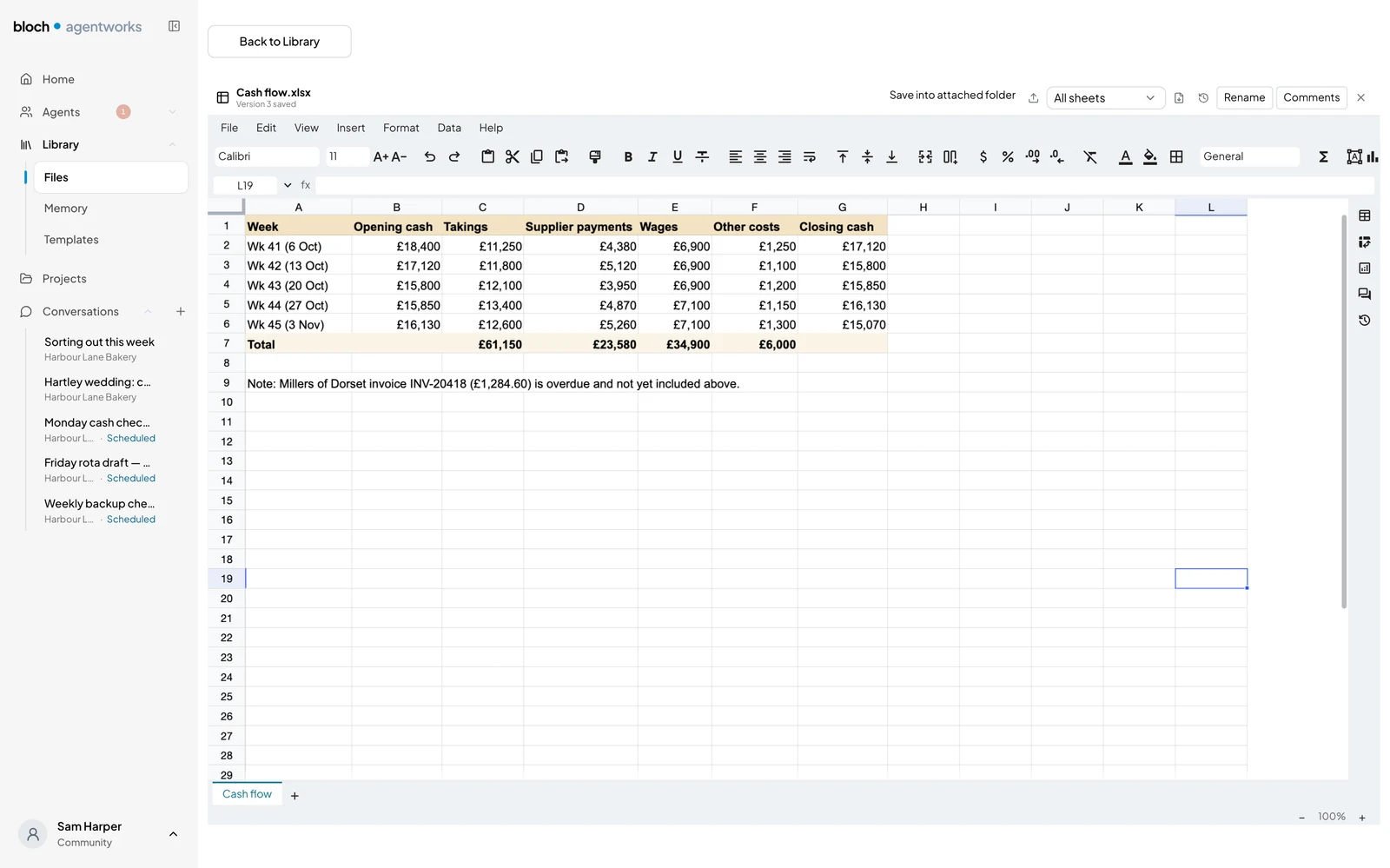
Create and edit proposals, trustee or board reports, grant bids, decks and cash-flow sheets in real Word, PowerPoint and Excel files with Bob's help. Preview every change before applying it, and undo it if needed.
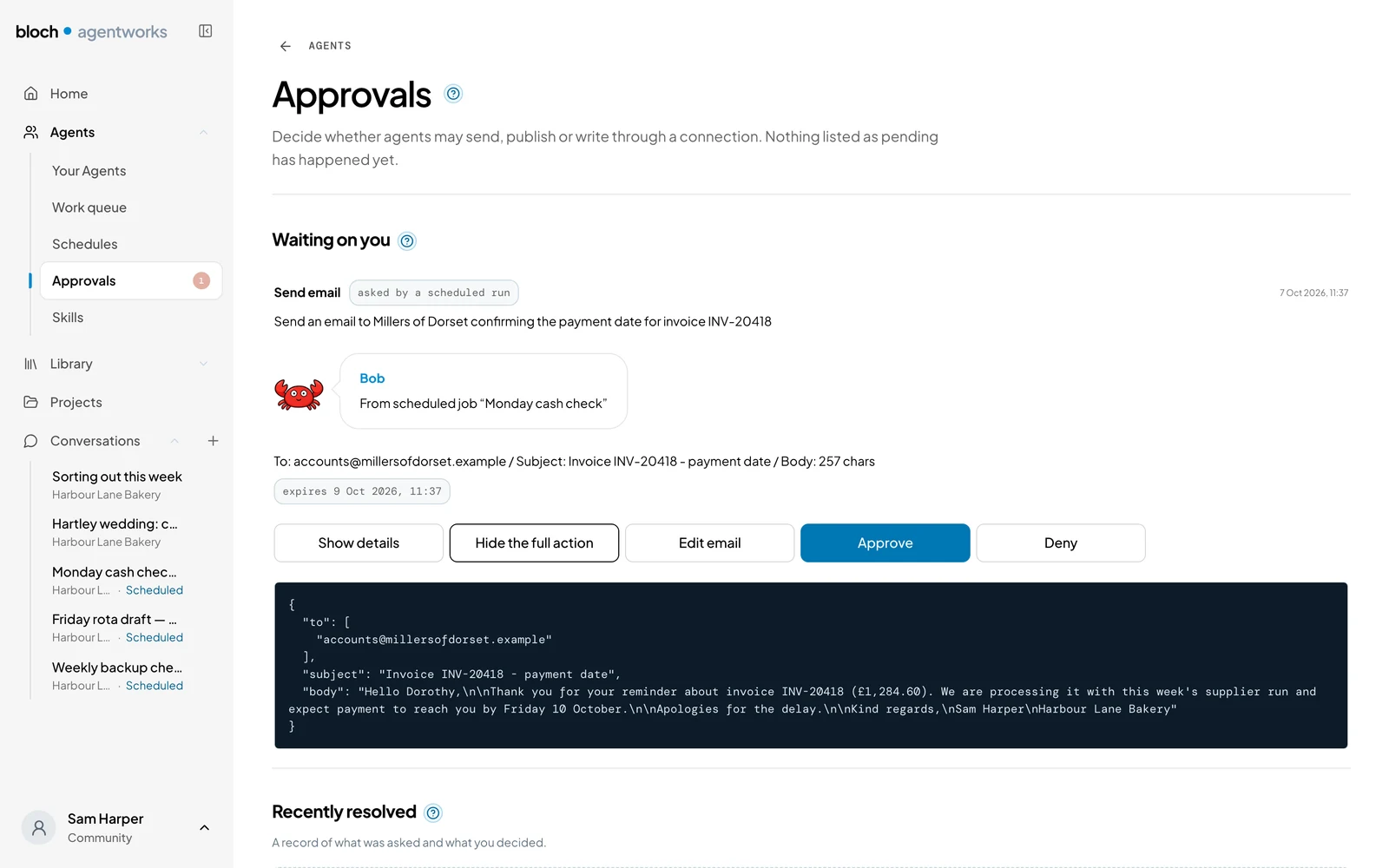
You do not have to send every message yourself: Bob’s outgoing messages wait for your approval. The approval card shows exactly what will run before you decide.
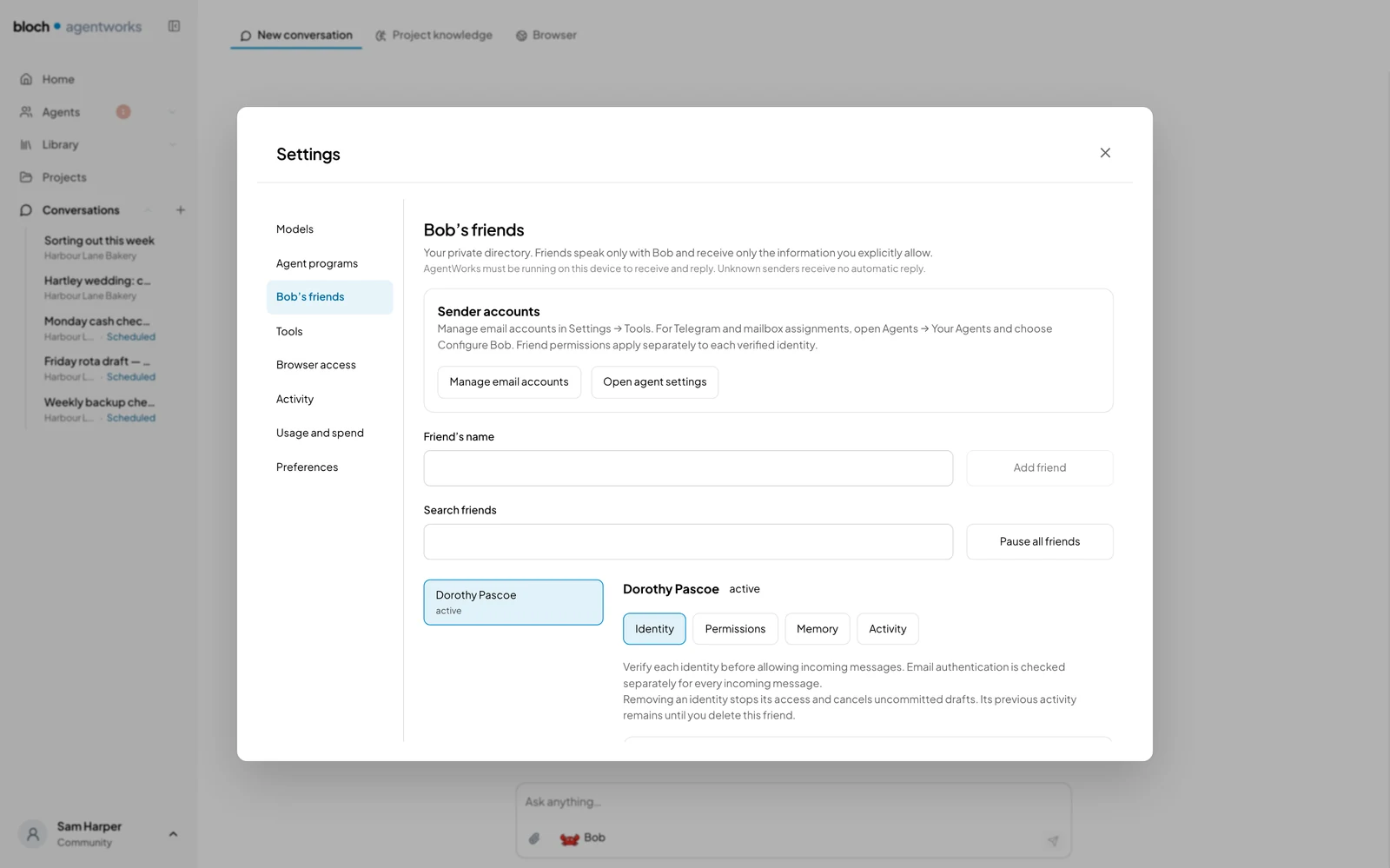
Bob's friends keeps the suppliers, late payers and volunteers you need to contact in a private list. You choose what Bob may share and approve every message before it is sent.
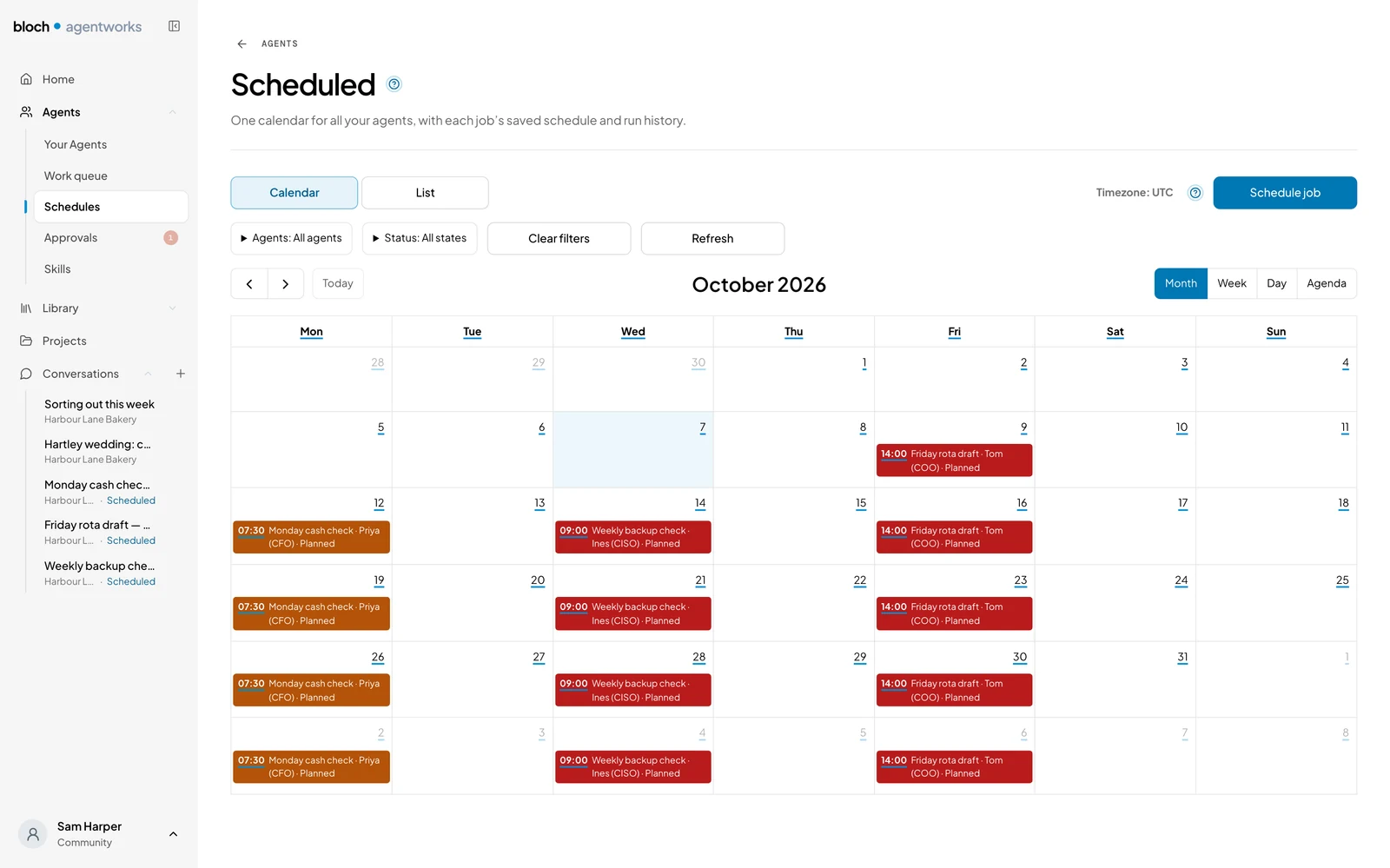
Schedule a Monday cash check or a Friday rota review with one of your agents, rather than setting up the same job each week.
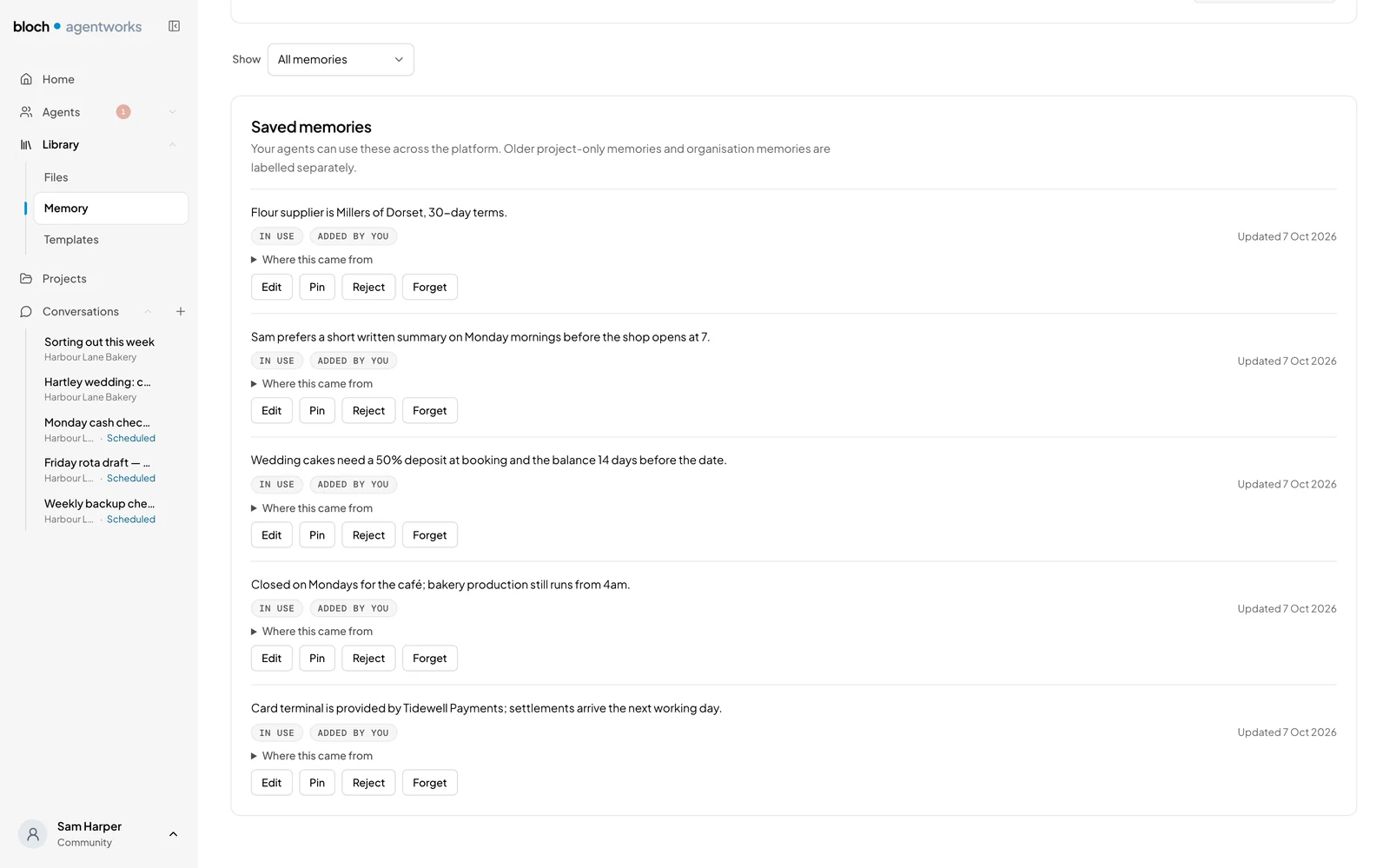
Bob learns how your business works from details you save for later jobs. Review, change or remove those memories when you need to.
Your AI
Use local AI on your laptop or choose a model service in the EU, UK or US.
Local AI is Mac only. Keep AI processing on your Apple Silicon Mac, for free. Local AI sends nothing off the machine.
Apple Silicon Mac with at least 16 GB RAM. The larger model needs 32 GB or more.
Powered by BonsaiChoose an EU model service, such as Mistral, if you want your AI work handled there.
Connect a UK-hosted model service of your choice to keep AI processing in the UK.
Use a service with an OpenAI-compatible connection.
Use OpenAI, Anthropic (Claude), Google (Gemini) or another US provider, including a subscription you already pay for.
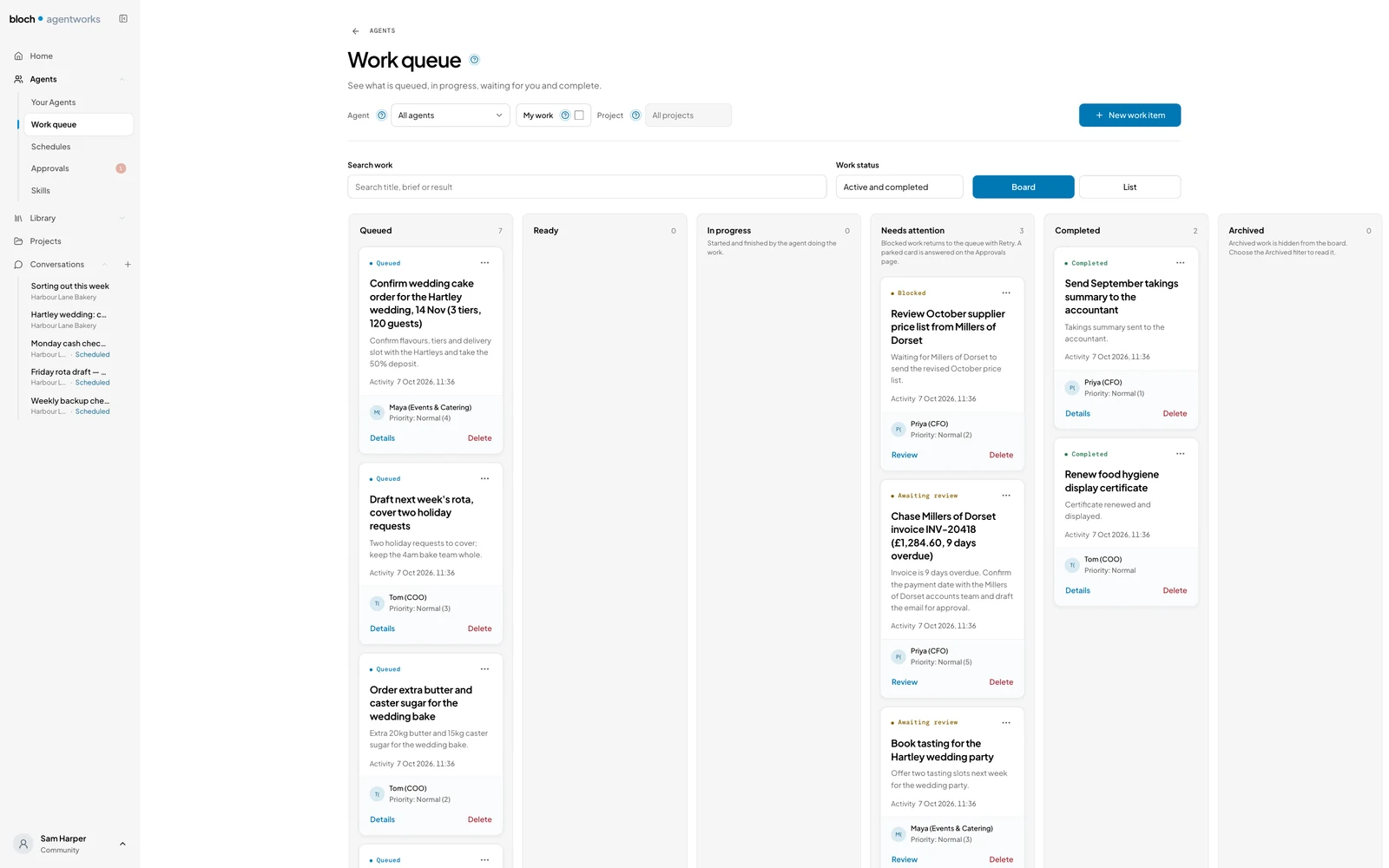
Keep the week’s jobs on a work board, with comments and run history on each card. See which jobs are finished and which need your decision.
Your agents
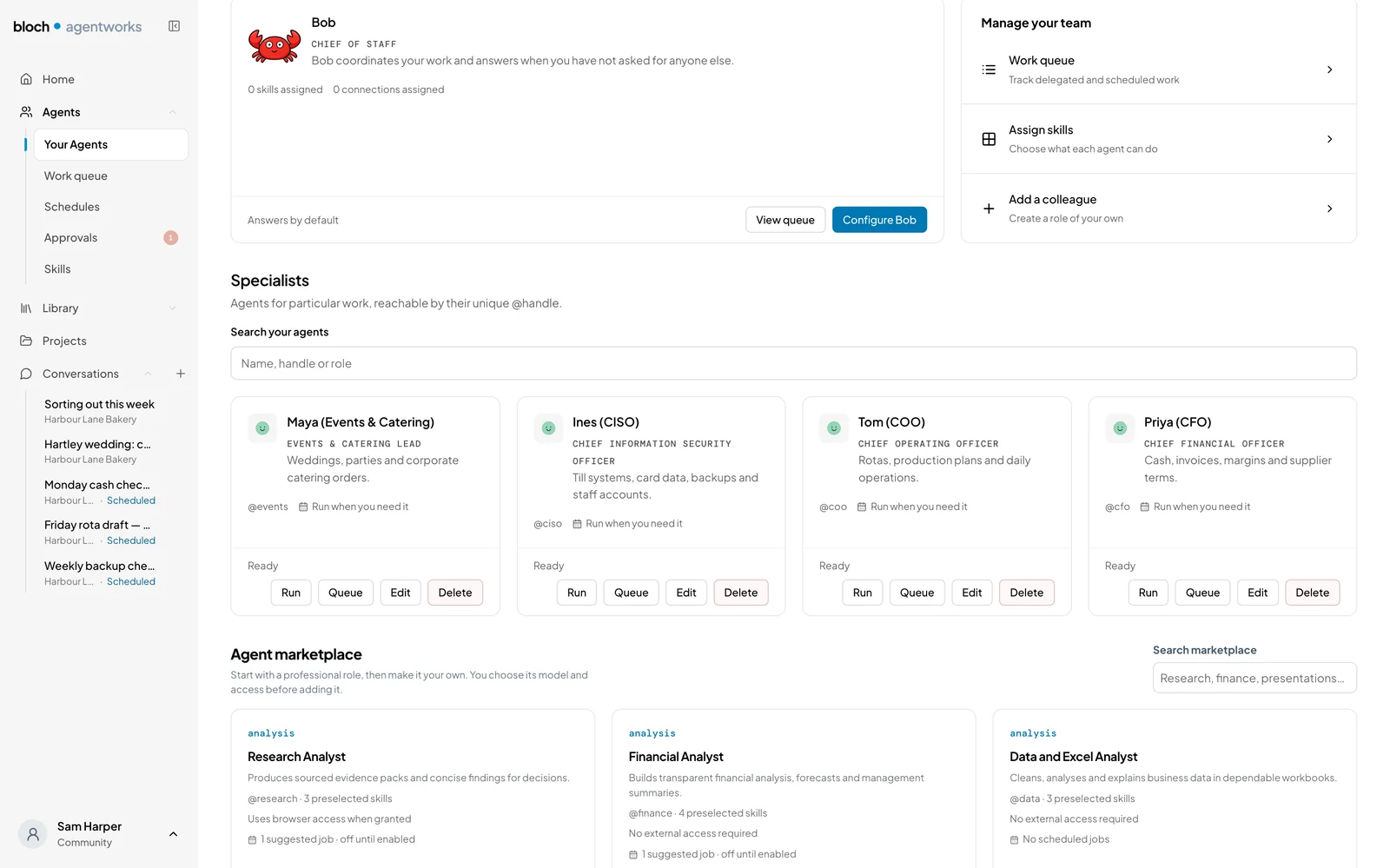
Create an agent for a job you want off your list. Ready-made roles in finance, operations and more give you a starting point.
Bob drafts your work, helps plan your week and passes jobs to your agents.
Check the figures and draft reminders for unpaid invoices.
Draft booking replies, prepare rotas and follow up unfinished jobs.
Draft posts and newsletters from the notes you provide.
Create an agent for a job you need done and tell it how you want it handled.
Meet Bob
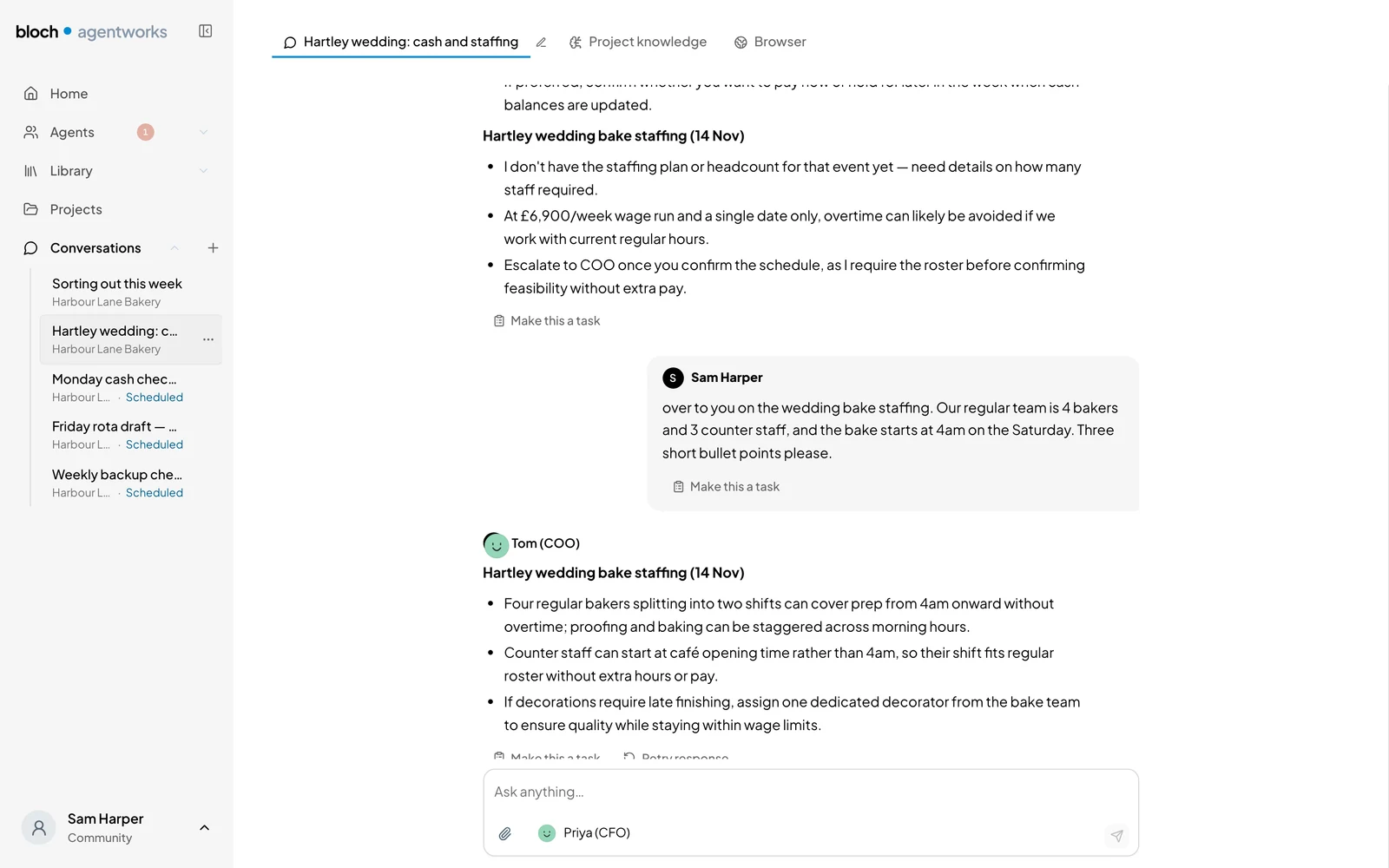
Bob helps draft replies and documents, plan your week and keep track of waiting jobs. He shows you what needs a decision and hands jobs to your agents. Bring agents into the same conversation when a job needs more than one role.
Example week
Example week
Getting started
Start with a job you know well, so you can check the result.
Join the beta shortlist through our sign-up link. We invite testers in batches by email, with a personal download passcode.
Use local AI on your Mac, or connect a model in the EU, UK or US.
Start with a pre-made role or create your own agent, with instructions for how you want the work done.
Ask Bob in chat or assign a work-board card. Your agents bring decisions back to you.
Editions
Free and open source.
Agents for your own work on Mac and Windows, free for anyone to use. Use built-in local AI or connect a model account you already have.
AgentWorks Enterprise
Sold separately. Central management of agents and logging for audit across your organisation.
FAQ
AgentWorks gives your agents jobs and instructions they keep for later tasks. Bob helps draft work and organise your week, with email and documents in the app. Outgoing messages wait for your approval.
Local AI keeps AI processing on your computer. Connected models and email services receive the data needed for each task, under their own terms.
The Community edition is free on Mac and Windows and open source under AGPL-3.0, with no subscription cost for built-in local AI. Connected model providers charge on their own terms.
Built-in local AI needs no key. Use an existing Claude or ChatGPT subscription, connect another provider with its sign-in or key, or use Ollama or LM Studio.
AgentWorks runs on Mac and Windows. Local AI is Mac only and needs an Apple Silicon Mac with at least 16 GB RAM, or 32 GB for the larger model.
Give each agent a job and instructions for how you want it done. Each agent keeps its instructions for later tasks.
Enterprise is sold separately and adds central management of agents and logging for audit across your organisation. Agents can be pushed centrally to staff computers.
Use the beta shortlist link to sign up. We invite testers in batches by email, with a personal download passcode. Have a passcode? Download
Risky actions wait for your approval on a card showing what will run. Read and accept the beta disclaimer before downloading. Read the beta disclaimer
Check your model and email providers’ data terms and your own data-protection duties before connecting personal information.